
Sync your Figma components directly to your repository.
Transform designs into production-ready code that you can deploy immediately. Any changes in Figma can be synced to your git codebase with a single click. Eject anytime and use the code as you desire.
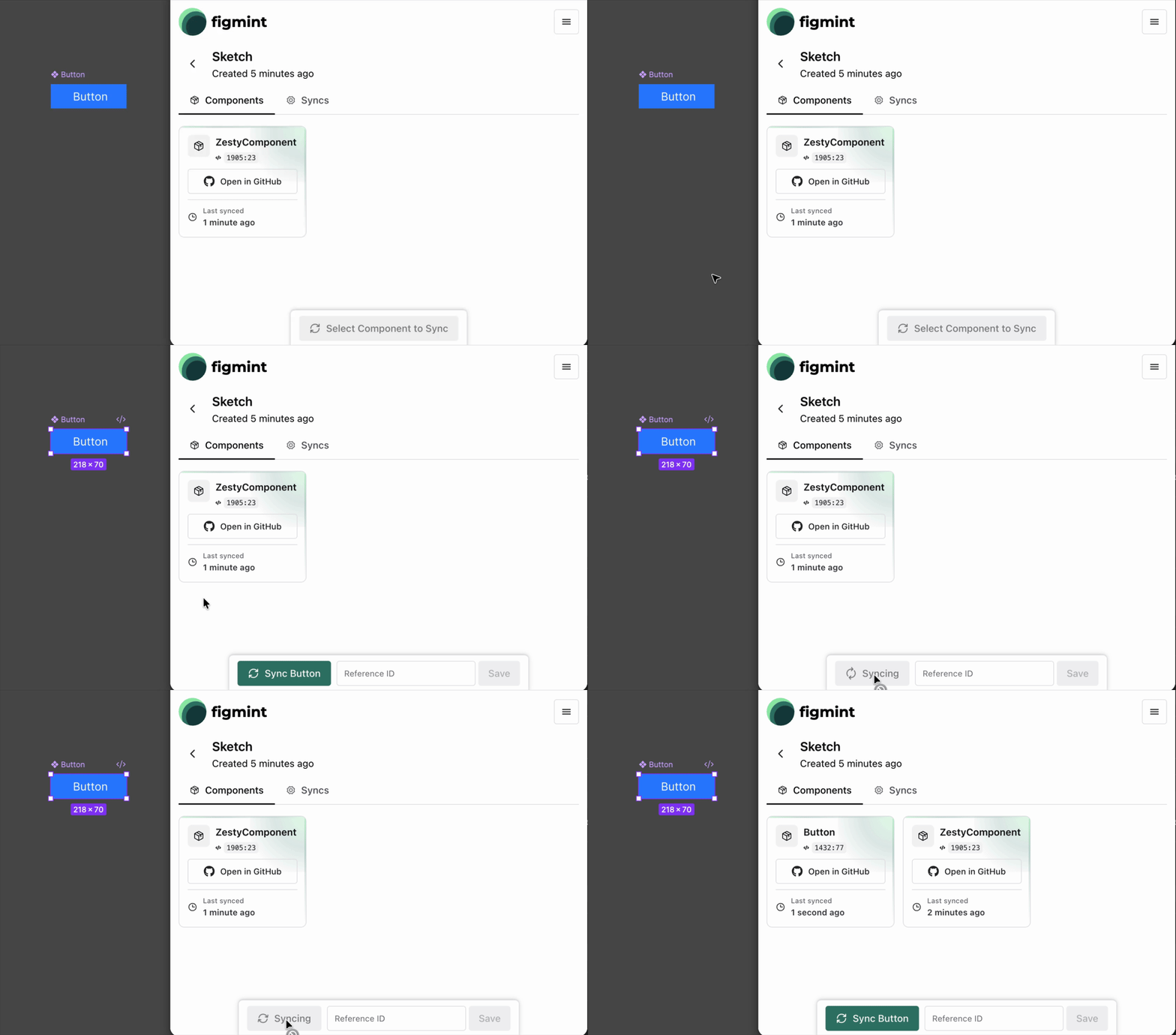
Transform your Figma components into React components with a single click. No manual translation, no copy-paste. Your designs become working code instantly.
Select any component in Figma, click sync, and watch as it's transformed into production-ready React code. The generated components include all styling, props, and structure exactly as designed. No hand-coding required, no design tokens to maintain separately. Everything you see in Figma is what you get in code.
Sync components straight to your repository. Choose your folder structure, and code appears exactly where you need it. No intermediate steps.
Connect your Figma files directly to your GitHub repositories. Configure your components folder path during project setup, and every sync writes code to the exact location you specify. Components are committed to your repository with proper file structure, making them immediately available to your team. No manual file management, no deployment pipelines needed—just code where it belongs.
Design changes in Figma? Update your code with one click. Track every sync, see what changed, and keep your codebase aligned with your designs.
When designers update components in Figma, sync the changes to your repository instantly. View sync history, track component versions, and see exactly what changed between syncs. Failed syncs are logged with detailed error messages, so you always know the status of your components. Keep your design system in perfect alignment with your codebase, automatically.
Override component references, customize props, and control how components connect. The generated code follows your conventions, not ours.
Every component supports reference overrides, allowing you to customize how components link together in your codebase. Set additional IDs, modify element props, and control the generated code structure. The code respects your naming conventions, folder structure, and coding standards. You're not locked into our way of doing things—the code is yours to modify and extend as needed.
Group related components into projects. Link Figma files to repositories and manage your entire design system from one place.
Create projects to organize your design-to-code workflow. Each project links a Figma file to a GitHub repository, with a configurable components folder path. View all synced components, track their sync status, and manage your entire design system from a single interface. Multiple projects let you handle different products, features, or teams, all with their own Figma-to-GitHub connections.
All code lives in your repository. No vendor lock-in, no hidden dependencies. Eject whenever you want and continue building on your own.
Every line of code is written directly to your GitHub repository. There's no proprietary format, no cloud storage, no hidden dependencies. The generated components are standard React code that you can modify, extend, or completely rewrite. Stop using the service anytime—your code remains in your repository, fully functional and ready to use. You maintain complete ownership and control.
The generated code is blob-ish and ready to use. No modification needed—just import and use it in your codebase.
import ProfileCard from './components/ProfileCard'; function App() { return ( <ProfileCard name={"Sarah Martinez"} description={"Creative Director specializing in brand identity and digital design."} Image={ <img src={"https://images.unsplash.com/photo-1534528741775-53994a69daeb"} alt={"Profile"} className={"w-full h-full object-cover"} /> } elementProps={{ name: { as: "h2", onClick: () => alert("Name clicked!"), className: "cursor-pointer hover:underline", }, }} /> ); }